LiftONDownload
Now on iPhone · Android coming soon

Know exactly
what to do.
In the gym and on your plate.

LiftON builds today's workout around how you've recovered, scans your meals with your camera and tracks your progress. One plan for training and nutrition.

  • ✓ 3 free workouts to try
  • ✓ 7-day free trial on Pro
  • ✓ No account needed
Lifter setting up a barbell deadlift in a dark gym
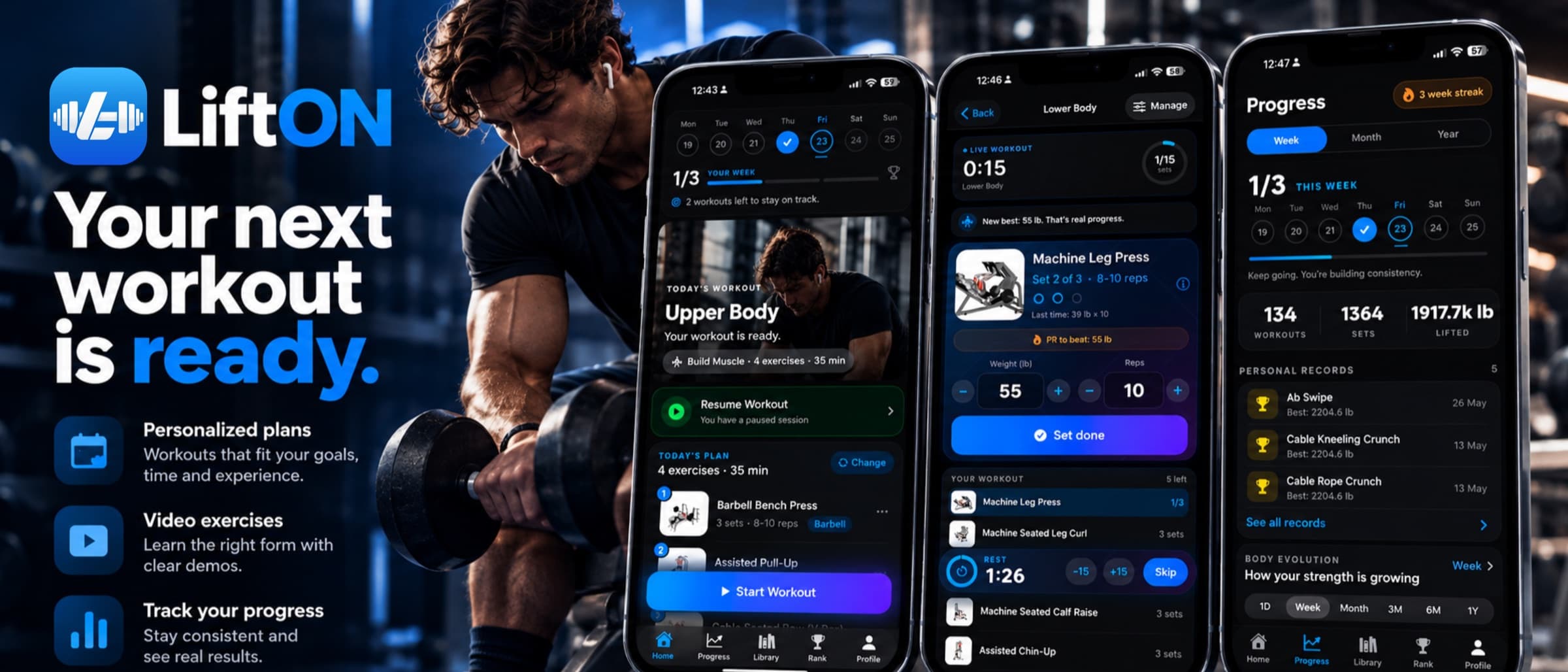
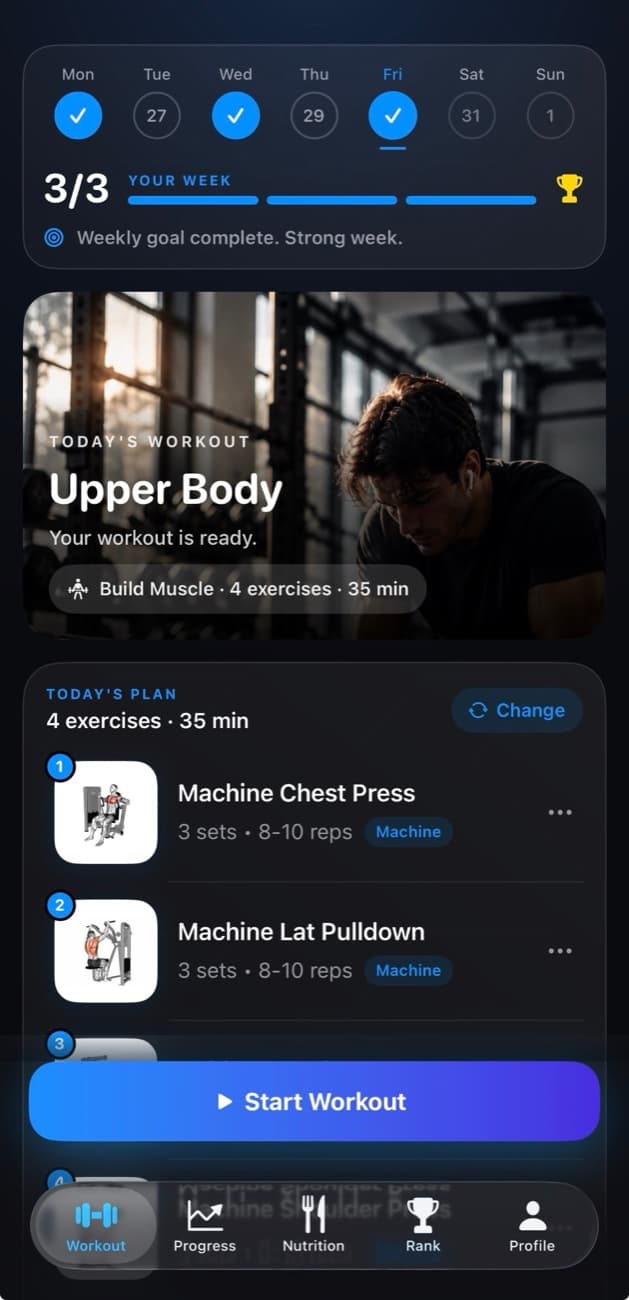
LiftON home screen with today's Upper Body workout

Everything in one app

Train. Eat. Track. Repeat.

Smart training

Today's workout, built for you

LiftON looks at what you trained and how recovered each muscle is, then builds the session. Swap any exercise, switch the day or regenerate in one tap.

1

Barbell Bench Press

3 sets · 8-10 reps

Swap
2

Assisted Pull-Up

3 sets · 8-10 reps

Swap
3

Seated Cable Row

3 sets · 10-12 reps

Swap
PushPullLegsUpperFull body

Eat smarter

Scan a meal, get the numbers

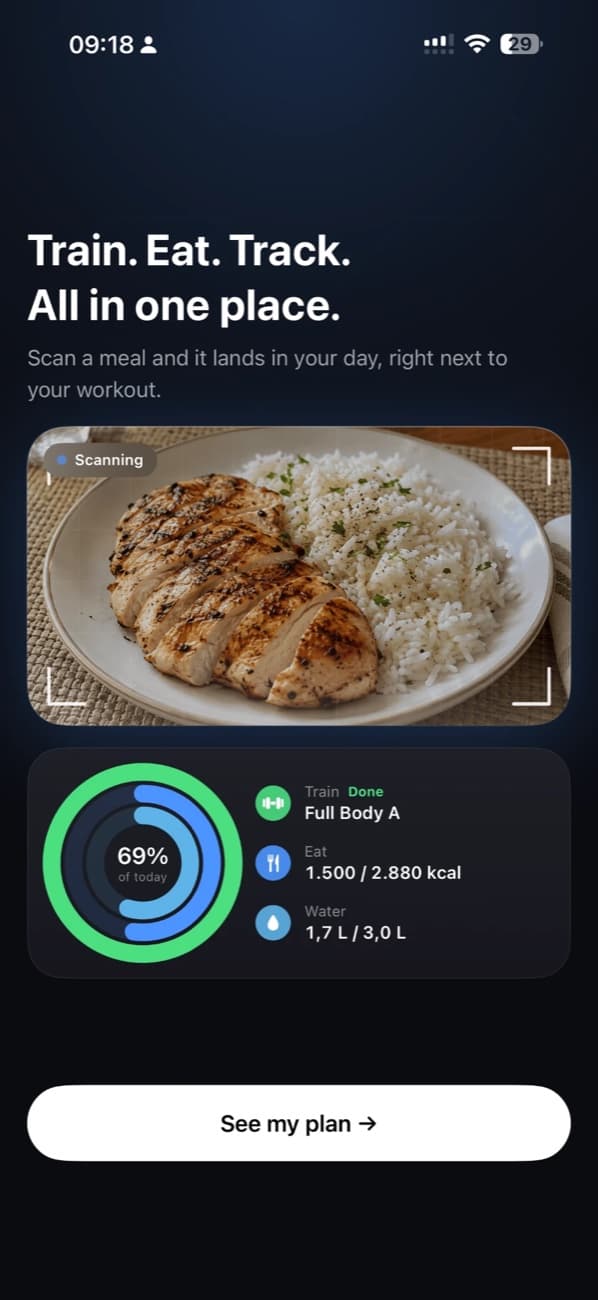
Take a photo or describe what you ate. Get calories, protein, carbs and fat in seconds, then adjust the portion. Estimates, not lab results.

620 kcal

Your numbers

Calories and protein, set for your goal

Tell us your body, goal and pace. LiftON calculates daily targets and shows the path to your goal weight with a realistic date.

Progress

See the work add up

Weekly goal, streak, personal records, volume and weight trend. All in one place, with a clear picture of whether you're on pace.

Ranks

Earn your rank, muscle by muscle

Every lift scores. Level up each muscle group, fill the body map and chase the next tier.

I
II
III

Exercise library

Learn every move with video

Hundreds of exercises with demos, target muscles and form cues, so you never guess how to set up a machine.

Chest
Back
Legs
Shoulders
Arms
Core

The app

Built for the gym floor

LiftON on iPhone: today's workout, live workout and progress
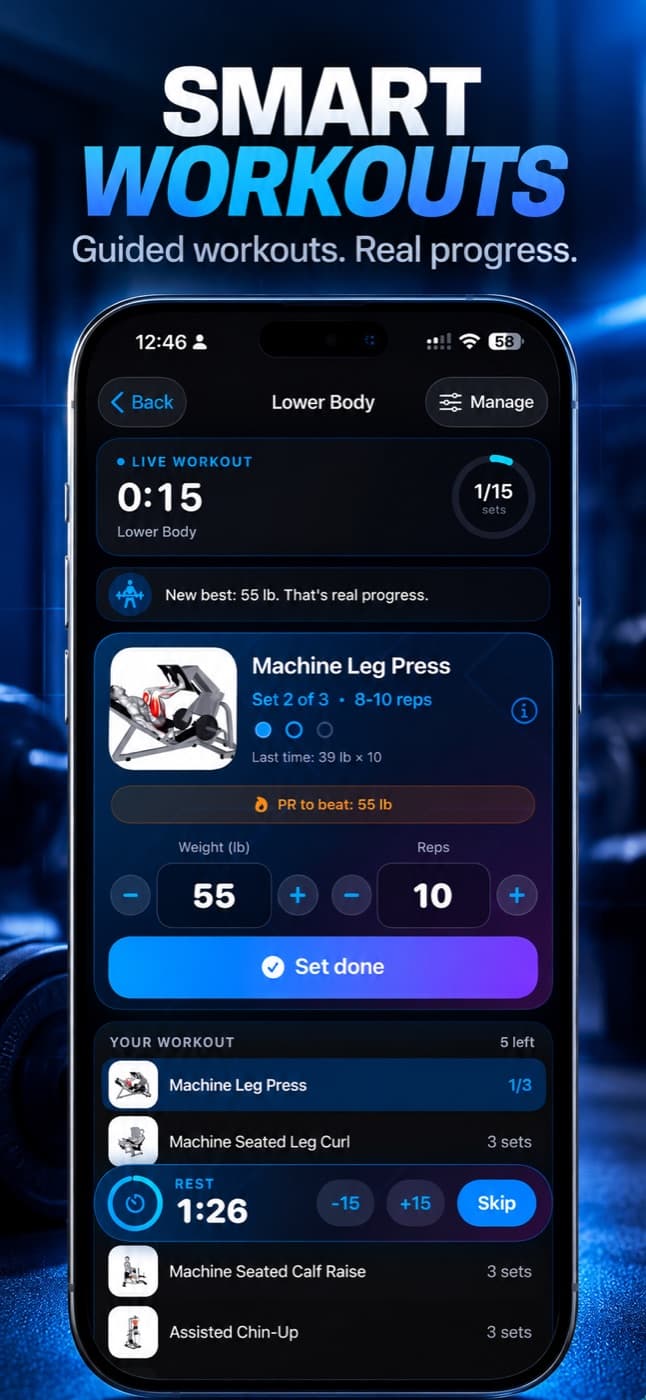
LiftON live workout screen with weight, reps and rest timer

Guided workouts

Log a set in two taps

Big weight and rep controls, a rest timer that starts itself and a reminder of what you lifted last time and the record to beat. Built to use mid-set, one-handed.

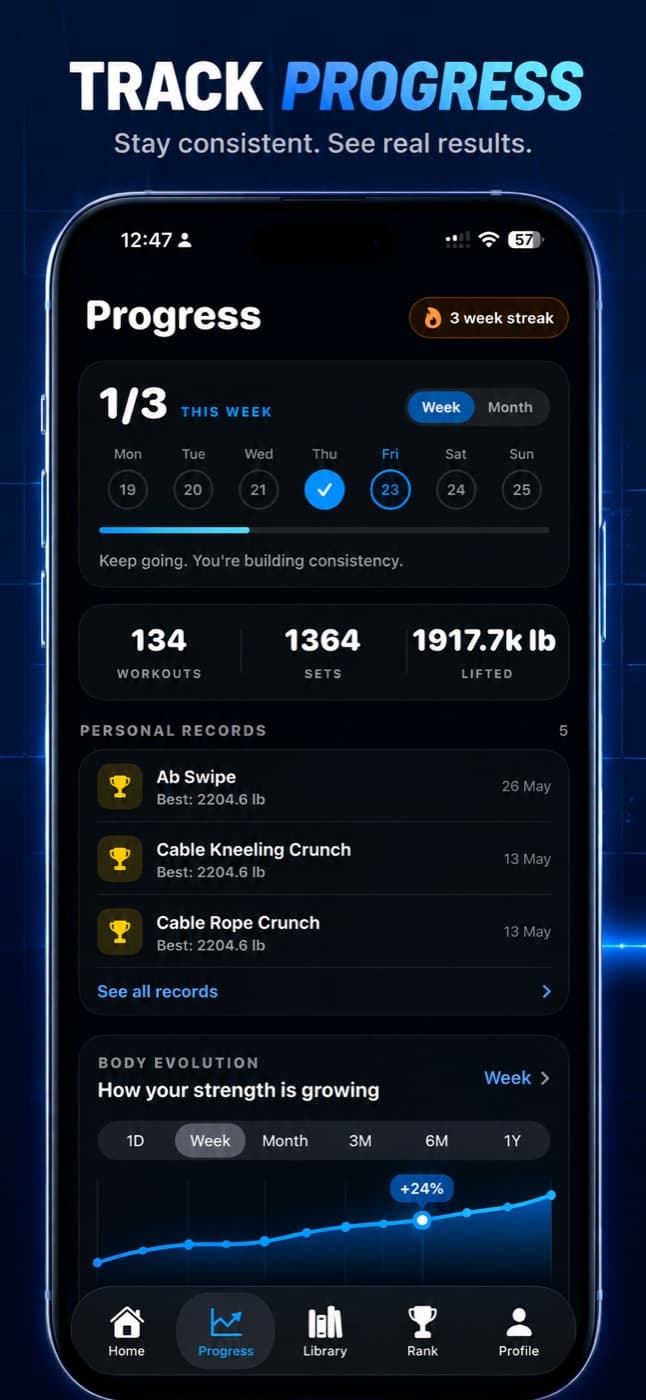
LiftON progress screen with weekly goal, personal records and strength chart

Progress

Streaks, records and strength trends

Your weekly goal, workouts, sets and total volume, plus personal records and a strength curve that shows whether you're really getting stronger.

How it works

From first rep to real progress

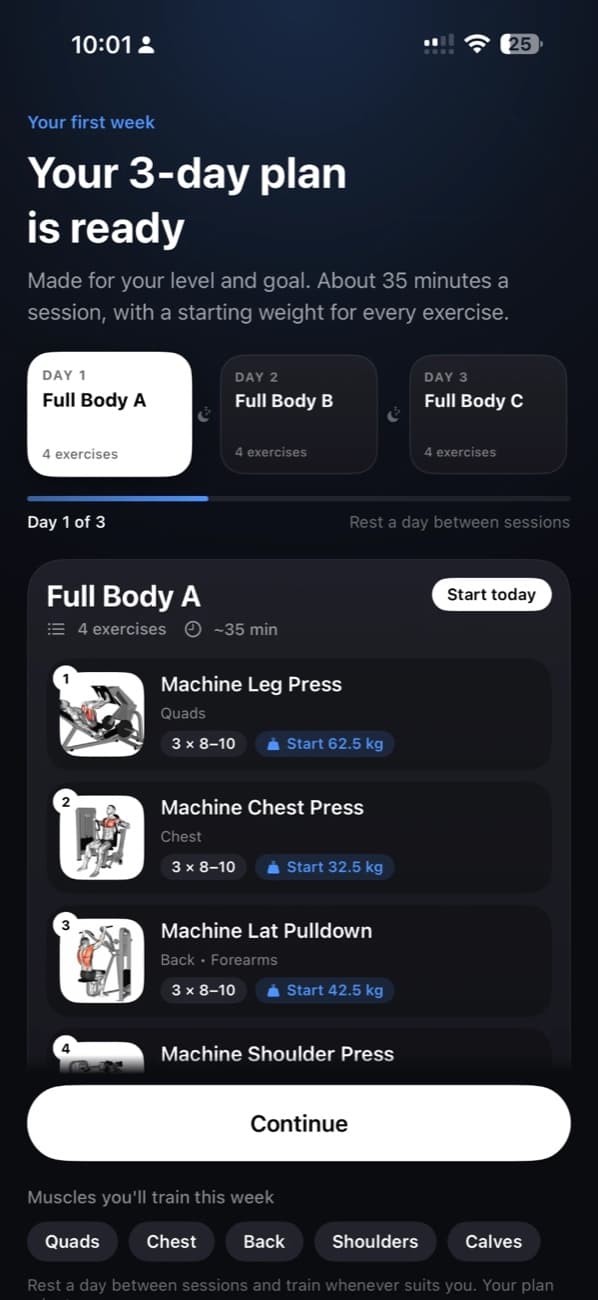
LiftON first-week plan: three full body days

01

Tell us about you

Goal, experience, days per week and body stats. About two minutes, no account.

LiftON home screen with today's workout

02

Train and eat with a plan

Open the app, get today's workout, log your sets and scan your meals.

LiftON training, eating and water rings

03

Watch it adapt

Weights, workouts and targets update as you get stronger and your weight moves.

Questions? Answered.

Is LiftON free?+

You can start free: 3 workouts and 3 meal scans to try everything. LiftON Pro unlocks unlimited workouts, scans and full progress tracking, with a 7-day free trial. Prices depend on your region and are shown in the app before you subscribe.

Do I need to create an account?+

No. Open the app, answer a few questions and your plan is ready.

Is LiftON good for beginners?+

Yes. If you pick beginner, LiftON starts with simple machine and dumbbell exercises, suggests starting weights and keeps sessions short. It grows with you.

How does it decide today's workout?+

It looks at your goal, your schedule and which muscles you trained recently, then recommends the session with the best-recovered muscles. You can always switch the day, swap an exercise or regenerate.

How accurate is the meal scan?+

It gives a quick estimate of calories, protein, carbs and fat from your photo or description. Portions are hard to judge from a picture, so you can adjust them. It's a guide for consistency, not medical or dietary advice.

Which devices does it work on?+

iPhone today. Android is on the way: join the waitlist on this page and we'll email you the day it launches.

How do I cancel my subscription?+

On your iPhone open Settings, tap your name, then Subscriptions, choose LiftON and tap Cancel. You keep Pro until the end of the period you paid for.

How do I restore my purchase or get a refund?+

Open the paywall in LiftON and tap Restore Purchases. Refunds are handled by Apple at reportaproblem.apple.com.

What happens to my data and my meal photos?+

Your workouts, profile and progress are stored on your device. Meal photos and descriptions are sent securely to our analysis service only to estimate nutrition. Read the full details in our Privacy Policy.

Can I delete my data?+

Yes. In the app go to Profile, Data, Delete All Data. You can also email us and we'll help.

Does it support kg and lb?+

Yes. LiftON picks the right units for your region and you can switch any time.

I found a bug or have an idea. Where do I tell you?+

Use the feedback form on our Support page, message us on Telegram, or email support@lifton.app. We read everything.

Still stuck? Visit the Support page

Talk to us directly

Message the team on Telegram

We're a small team and we ship what lifters ask for. Send a message and it goes straight to us: ask a question, report a bug or tell us what you want next. We reply in the same chat.

Or email support@lifton.app

Send feedback

Takes 20 seconds. No account needed.

Android

Not on iPhone? Be first on Android.

Leave your email and we'll tell you the day LiftON launches on Google Play. No spam, one email.

Start your first workout today.

Answer a few questions and your plan is ready in about two minutes. Free to try, no account needed.